2025 Guide to Choosing CRM Platforms with Integrated AI Sales Copilots

Choosing the right CRM platform with an AI sales copilot can transform your sales process from reactive to proactive, automating routine tasks while delivering intelligent insights that drive revenue growth. Modern AI-integrated CRMs combine traditional customer relationship management with advanced artificial intelligence capabilities, offering features like automated lead scoring, real-time recommendations, and predictive analytics. This guide walks you through the essential considerations for evaluating and selecting a CRM platform that aligns with your business needs, integrates seamlessly with existing systems, and empowers your sales teams with cutting-edge AI assistance to maximize productivity and close more deals.
Define Your Business Needs for AI-Driven CRM
Clarifying your business needs ensures you select a CRM platform with AI copilots that solves real challenges and delivers measurable value to your teams. Understanding your unique sales, account management, and customer experience pain points is the foundation for successful CRM adoption.
Start by conducting a comprehensive audit of your current sales processes. Document specific challenges across your sales, account management, and customer success teams. Common pain points include missed follow-ups that cost deals, hours spent on manual data entry that could be automated, incomplete customer insights that lead to generic outreach, and difficulty prioritizing leads effectively.
An AI sales copilot is a digital assistant that provides in-context recommendations, automates tasks, and delivers real-time insights to sales teams for maximized productivity and decision-making. These intelligent systems can automatically research accounts and schedule follow-ups, directly addressing the team overload that plagues many growing businesses.
Once you’ve identified your pain points, map them to specific CRM functionalities. For instance, if your team struggles with lead qualification, prioritize platforms with sophisticated lead scoring algorithms. If customer insights are lacking, focus on CRMs that offer comprehensive customer journey tracking and predictive analytics. If manual tasks consume too much time, emphasize workflow automation capabilities.
Consider both immediate needs and future growth scenarios. A CRM that works for a 10-person sales team may not scale effectively to 50 users, so factor in your projected growth when evaluating AI capabilities and user management features.
Evaluate Integration Capabilities with Existing Systems
Ensuring your CRM integrates seamlessly with the rest of your tech stack eliminates silos and maximizes productivity across the business. Proper integrations unify data, simplify processes, and empower teams to act on a complete view of each customer.
Begin by creating an inventory of all systems that need to interface with your CRM. This typically includes marketing automation platforms, email systems, accounting and ERP software, collaboration tools like Microsoft Teams or Slack, social media management platforms, and customer support ticketing systems.
Leading platforms, including SugarCRM, support robust integrations with both popular AI applications and business software without requiring complex technical setup. Look for CRMs that offer pre-built connectors, flexible APIs, and integration marketplaces that simplify the connection process.
CRM integration refers to the process of connecting CRM software with other tools your business uses to share data, automate workflows, and create unified processes for marketing, sales, and customer service. Effective integration eliminates the need for manual data transfer between systems and ensures all teams work from the same, up-to-date customer information.
| Integration Type | Business Value | Common Examples |
| Email & Communication | Automated logging, unified inbox | Outlook, Gmail, Teams |
| Marketing Automation | Lead handoff, campaign tracking | HubSpot, Marketo, Pardot |
| Financial Systems | Quote-to-cash, revenue tracking | QuickBooks, NetSuite, SAP |
| Social Media | Social listening, engagement tracking | LinkedIn, Twitter, Facebook |
| Customer Support | Ticket creation, service history | Zendesk, Freshdesk, ServiceNow |
Evaluate the quality and depth of available integrations. Surface-level connections that only sync basic contact information provide limited value compared to deep integrations that share behavioral data, conversation history, and predictive insights across platforms.
Assess Key AI Features in CRM Platforms
Carefully evaluating a platform’s AI capabilities ensures your choice enables both immediate sales wins and long-term growth. The right features drive automation, insight, and actionable intelligence that transform how your teams engage with prospects and customers.
Modern AI-powered CRMs offer several core capabilities. Predictive analytics uses machine learning algorithms to analyze historical data and predict future outcomes, such as which deals are most likely to close or which customers might churn. Automated lead scoring evaluates and prioritizes leads based on engagement patterns, demographic data, and behavioral signals, ensuring your sales team focuses on the highest-potential opportunities.
Sentiment analysis examines customer communications to gauge satisfaction levels and identify potential issues before they escalate. Conversation intelligence analyzes sales calls and meetings to provide coaching insights, identify successful talk tracks, and highlight areas for improvement.
Generative AI capabilities in modern CRMs can identify market trends, offer real-time sales recommendations during calls, and automate recurring tasks like email follow-ups and meeting summaries. These features work together to create a comprehensive AI ecosystem that supports every stage of the sales process.
Practical applications include automated account research that provides sales reps with relevant company information before calls, personalized email templates generated based on prospect behavior and preferences, and real-time coaching suggestions during live sales conversations.
Essential AI Features:
- Automated lead scoring and qualification
- Predictive deal forecasting
- Intelligent email automation
- Real-time conversation insights
- Automated data entry and enrichment
Advanced AI Features:
- Custom predictive models
- Advanced sentiment analysis
- AI-powered sales coaching
- Dynamic pricing recommendations
- Automated competitive intelligence
Consider Usability and Customer Support
Adoption and ROI grow when your CRM is intuitive and backed with reliable support. Easy-to-use interfaces combined with strong onboarding, help resources, and training accelerate team buy-in and reduce friction during implementation.
The most sophisticated AI features become worthless if your team finds the platform difficult to navigate. Prioritize CRMs with clean, intuitive dashboards that surface the most important information without overwhelming users. Platforms like SugarCRM emphasize user experience design, ensuring teams can adopt the system quickly without steep learning curves or extensive training requirements.
Evaluate the quality and availability of onboarding resources, particularly for AI features that may be new to your team. Look for platforms that offer comprehensive training programs, video tutorials, knowledge bases, and responsive customer support. The best CRM providers offer dedicated customer success managers who help optimize your use of AI features over time.
Consider mobile accessibility as a critical usability factor. Modern sales teams work from various locations and need full CRM functionality on their mobile devices. Essential mobile features include pipeline management, real-time notifications, integrated messaging, and offline access for areas with poor connectivity.
Assessment criteria should include dashboard clarity and customization options, ease of navigation between different modules, the quality of search functionality, availability of keyboard shortcuts and bulk actions, and the responsiveness of the user interface across devices.
Review Pricing Models and Total Cost of Ownership
Understanding CRM pricing ensures you select a solution with the right features at a sustainable cost. Factors like user tiers, modules, and AI add-ons impact your budget and long-term ROI, making careful cost analysis essential for smart purchasing decisions.
CRM pricing structures vary significantly across providers. Per-user monthly pricing is most common, with costs ranging from basic contact management at $10-20 per user to enterprise AI-enabled platforms at $100+ per user. Many platforms offer feature tiers, where AI capabilities are included in higher-priced plans or available as add-on modules.
According to industry research, 80% of businesses spend at least $1,000 annually on technology tools to improve operations, but CRM investments often provide the highest ROI when properly implemented.
Total cost of ownership encompasses the sum of all costs associated with acquiring, implementing, and maintaining a CRM over its lifecycle, including licensing, integration, training, and support. Direct costs include software licensing fees, implementation and setup costs, data migration expenses, and ongoing support subscriptions. Indirect costs often include staff training time, temporary productivity losses during the transition, customization and configuration work, and opportunity costs of delayed implementation.
Consider both immediate and long-term costs. While a platform with lower upfront costs might seem attractive, limited AI capabilities or poor integration options could require expensive workarounds or platform changes later. Conversely, investing in a more comprehensive solution initially may provide better value as your team grows and your needs become more sophisticated.
Request Demonstrations and Trial Access
Evaluating a CRM through demos and trials gives real-world proof of its fit and usability in your unique context. Firsthand experience with AI copilots enables you to validate feature claims and assess adoption ease before making a significant investment.
Request customized demonstrations that focus on your specific workflows and use cases. Rather than accepting generic product tours, ask vendors to show how their AI sales assistant features handle your actual scenarios, such as automated lead follow-up sequences, real-time account research, and predictive deal scoring based on your industry and sales process.
Effective trial strategies involve multiple stakeholders and realistic testing scenarios. Include end-users from sales, marketing, and customer success teams in the evaluation process. Set up realistic data sets that mirror your actual customer base and sales pipeline. Test integration points with your existing tools to ensure data flows smoothly between systems.
Document feedback systematically throughout the trial period. Create evaluation scorecards that rate usability, feature effectiveness, integration quality, and overall fit with your business needs. Pay particular attention to how quickly team members adapt to AI features and whether the promised productivity gains materialize in practice.
Most enterprise CRM providers offer 14-30 day trial periods, which should provide sufficient time to evaluate core functionality. Use this time to simulate your complete sales process, from lead capture through deal closure, to identify any gaps or friction points.
Essential Features of AI-Integrated CRM Platforms
This section outlines the most critical capabilities you should demand from any CRM with AI sales copilots. Understanding and prioritizing these features ensures your CRM investment delivers efficiency, insight, and growth that justify the investment and drive measurable business results.
| Feature Category | Essential Capabilities | Business Impact |
| AI Automation | Lead scoring, email sequences, task creation | Reduces manual work by 40-60% |
| Predictive Analytics | Deal forecasting, churn prediction, opportunity scoring | Improves forecast accuracy by 20-30% |
| Integration Platform | API access, pre-built connectors, data sync | Eliminates data silos, improves efficiency |
| Mobile Access | Full functionality, offline capability, push notifications | Enables field sales productivity |
| Data Security | Encryption, access controls, compliance tools | Protects customer data, ensures regulatory compliance |
Unified Workspace for Sales and Customer Engagement
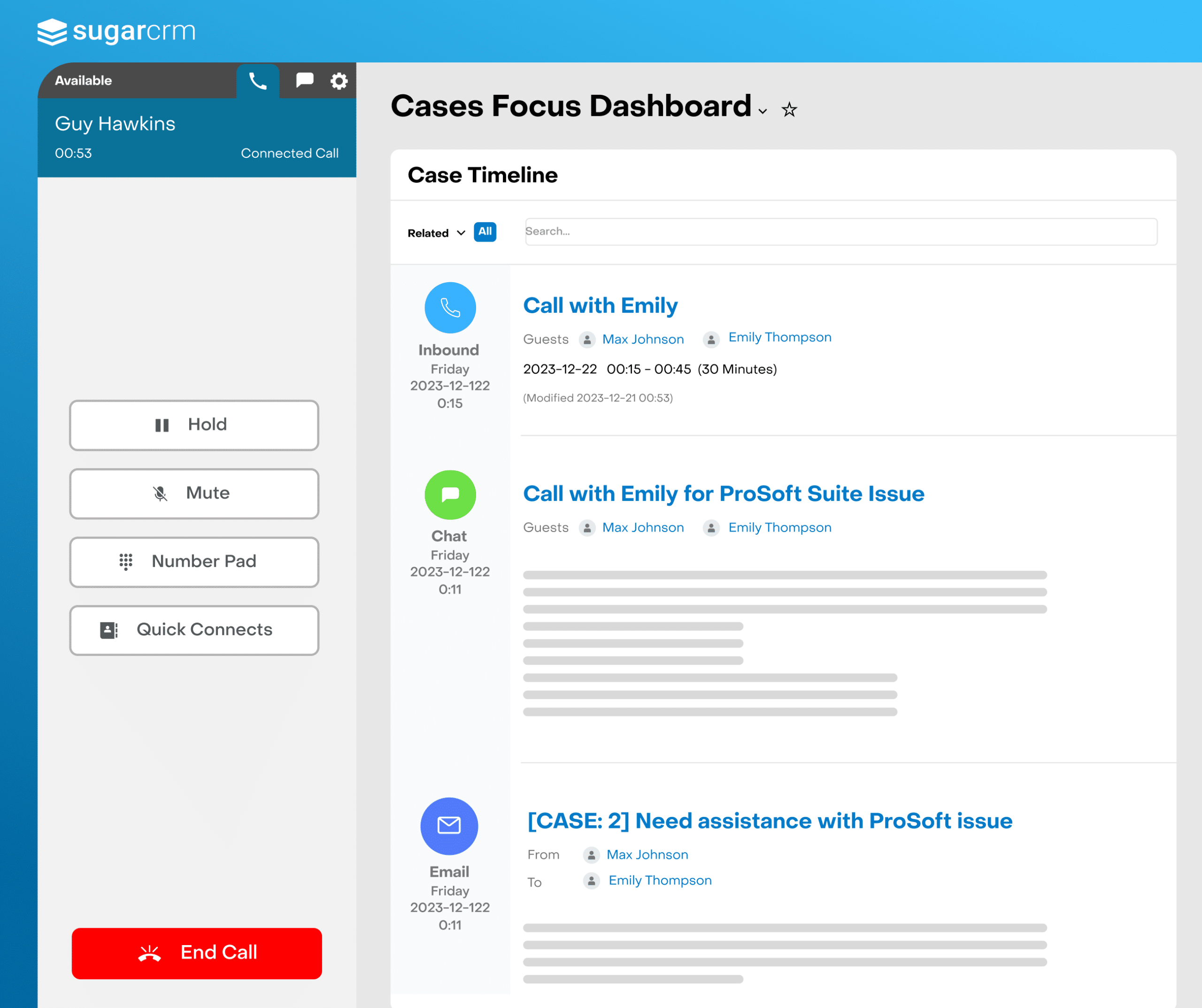
A unified workspace streamlines every aspect of customer interactions, shifting sales teams from reactive to proactive through a single platform. Centralized tools deliver improved collaboration, data access, and customer journey visibility that transforms how teams engage with prospects and customers.
Modern AI-powered CRMs create what industry experts call “the Copilot Workplace that shifts sales teams from reactive to proactive via a unified workspace” that consolidates all customer interactions, communications, and data into a single view.
A unified workspace refers to an integrated environment where sales, marketing, and service teams collaborate on all customer interactions, data, tasks, and analytics, eliminating fragmented workflows that create inefficiencies and missed opportunities. This approach enables better personalization by providing complete customer context and facilitates cross-team alignment through shared visibility into customer journeys and engagement history.
The practical benefits include reduced context switching between applications, complete customer history accessible to all team members, coordinated marketing and sales efforts, and seamless handoffs between departments. When implemented effectively, unified workspaces can reduce the time spent searching for customer information by up to 50% while improving customer experience through more informed and personalized interactions.
Automated Workflows and Lead Prioritization
Automation reduces manual effort and streamlines repetitive processes, while AI-powered lead scoring ensures high-potential prospects receive priority attention, driving conversions and team efficiency that directly impacts revenue growth.
Advanced CRM platforms like SugarCRM automate email campaigns, lead tracking, and the entire customer journey, removing time-consuming manual tasks that prevent sales teams from focusing on relationship building and deal closure. Lead scoring automates lead qualification by analyzing customer interactions, demographic information, and behavioral patterns to prioritize leads based on their likelihood to convert.
Effective workflow automation encompasses several key areas. Email nurturing sequences that adapt based on prospect behavior, automatic task creation and assignment based on deal stage changes, intelligent routing of leads to appropriate sales representatives, and automated follow-up scheduling that ensures no opportunities fall through the cracks.
Modern AI systems can analyze thousands of data points to score leads more accurately than manual processes, typically improving conversion rates by 20-30% while reducing the time sales reps spend on unqualified prospects. The most sophisticated systems continuously learn from successful deals to refine their scoring algorithms over time.
Real-Time Insights and Predictive Analytics
Access to immediate, actionable data enables smarter decisions, forecasting, and coaching. AI delivers predictive recommendations that help teams focus on the most promising opportunities while identifying potential risks before they impact revenue.
AI-powered insights provide predictive recommendations and trend analysis that transform raw data into actionable intelligence for sales teams, managers, and executives. These systems analyze historical patterns, current pipeline health, and external factors to forecast outcomes and suggest optimal actions.
Predictive analytics uses machine learning algorithms to analyze historical data and predict future outcomes, such as which deals are most likely to close, when customers might be ready to expand their purchases, or which accounts show signs of potential churn. This capability extends beyond simple reporting to provide forward-looking insights that guide strategic decision-making.
Real-world applications include conversation analytics that identify successful talk tracks and coaching opportunities, deal health scoring that flags at-risk opportunities early, territory and quota planning based on predictive models, and customer lifecycle predictions that inform retention strategies. The most advanced systems provide real-time recommendations during sales calls, suggesting relevant talking points, pricing strategies, or next steps based on similar successful deals.
Mobile Accessibility and Remote Sales Enablement
Empower modern and hybrid teams with mobile CRM access, ensuring productivity in the field, in remote settings, or during travel. Mobile-first design has become essential as sales teams increasingly work from distributed locations and need full platform functionality regardless of their physical location.
Mobile CRM tools support sales reps and field agents with offline and low connectivity access, ensuring productivity isn’t compromised by technical limitations. The best mobile CRM solutions provide feature parity with desktop versions while optimizing the interface for smaller screens and touch interactions.
Essential mobile features include complete pipeline management with drag-and-drop deal progression, real-time notifications for important updates and task reminders, integrated messaging and calling capabilities, offline access that syncs when connectivity returns, and voice-to-text functionality for quick note-taking during meetings.
The ROI of mobile CRM access is particularly significant for field sales teams, outside sales representatives, and organizations with remote workers. Studies show that sales reps with mobile CRM access are 41% more likely to achieve their quota, primarily due to improved responsiveness and the ability to update information in real time during customer interactions.
Data Privacy and Regulatory Compliance
Trust and compliance are foundational for CRM adoption, particularly with sensitive customer data and evolving regulations like GDPR, CCPA, and industry-specific requirements that carry significant penalties for non-compliance.
Data privacy features in CRM systems ensure compliance with standards like GDPR to protect customer data through robust security measures, access controls, and audit capabilities. Modern businesses face increasing regulatory scrutiny and customer expectations around data protection, making compliance features essential rather than optional.
Data privacy and compliance in CRM context refers to safeguarding customer information and ensuring the platform meets legal requirements for data storage, processing, user consent, and data subject rights. This includes the ability to honor deletion requests, provide data portability, and maintain detailed audit trails of data access and modifications.
Critical security features include end-to-end encryption for data in transit and at rest, role-based access controls that limit data exposure, comprehensive audit trails that track all data access and changes, automated compliance reporting capabilities, and data residency controls that ensure information stays within specified geographic boundaries. Additionally, look for platforms that provide tools for managing consent, handling data subject requests, and maintaining compliance documentation that can be crucial during regulatory audits.
Frequently Asked Questions
What are the must-have AI features in CRMs for sales teams?
Must-have AI features include automated lead scoring that prioritizes prospects based on conversion likelihood, real-time recommendations that guide sales conversations and next steps, workflow automation that eliminates repetitive manual tasks, predictive analytics that forecast deal outcomes and identify risks, and intelligent conversation insights that analyze sales calls for coaching opportunities. These features work together to increase sales productivity significantly while improving deal success rates through data-driven decision-making.
How do AI sales copilots boost sales productivity?
AI sales copilots enhance productivity by automating routine administrative tasks like data entry and follow-up scheduling, streamlining customer research by automatically gathering relevant account information, offering data-driven recommendations during sales conversations, personalizing customer engagement based on behavioral patterns and preferences, and providing real-time coaching insights that help reps improve their performance. This automation allows sales teams to focus on high-value activities like relationship building and strategic selling rather than manual processes.
What should I look for in CRM integrations with AI capabilities?
Look for CRMs that offer seamless integration with your existing business tools through pre-built connectors and flexible APIs, easy connections to popular AI platforms and communication tools, unified data sharing that eliminates silos between marketing, sales, and service teams, automated workflow triggers that span multiple applications, and robust security measures that protect data during transfer between systems. The best integrations feel native and don’t require constant manual intervention to maintain data accuracy.
How do pricing models typically work for AI-enabled CRMs?
Pricing for AI-enabled CRMs often varies based on the number of users, included feature sets, and access to premium AI tools. Basic plans typically start at $20-50 per user per month for essential CRM functionality, while AI-enhanced tiers range from $50-150+ per user monthly. Additional costs may apply for advanced automation capabilities, custom predictive models, premium integrations, or higher data storage limits. Many providers offer flexible pricing that scales with usage, making it important to understand both current and projected needs when evaluating costs.
How do AI copilots handle data privacy and customization?
Most enterprise-grade AI copilots are built to meet strict security standards including SOC 2, ISO 27001, and industry-specific compliance requirements. They support regulatory compliance like GDPR and CCPA through features such as data encryption, access controls, audit trails, and automated compliance reporting. Customization capabilities typically include configurable workflows and data fields, custom predictive models trained on your specific data, role-based permissions that control feature access, and integration options that adapt to unique business processes while maintaining security and compliance standards.